Step 4: Edit, Enhance & Restore
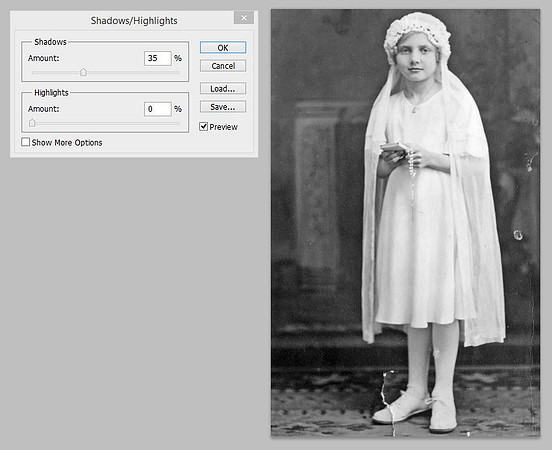
Check the Shadows/Highlights
Select the Image menu, Adjustments, Shadows/Highlights. Photoshop will automatically adjust the shadows in the image. The sliders can be adjusted as well. The preview of the image will be shown. To keep the changes select ok. If you don’t want to keep the adjustment select cancel.
Copyright © 2022 by MB Boutiques, all rights reserved.