Step 4: Edit, Enhance & Restore
Convert the image to Black and White
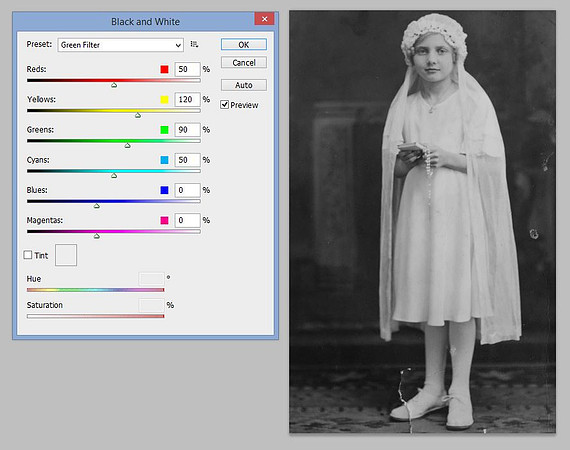
Convert the image to black and white. Select the Image menu, Adjustments, Black and White. This option will open the black and white menu. The preset option has different black and white filters. This example is the green filter.
Copyright © 2022 by MB Boutiques, all rights reserved.