Step 4: Edit, Enhance & Restore
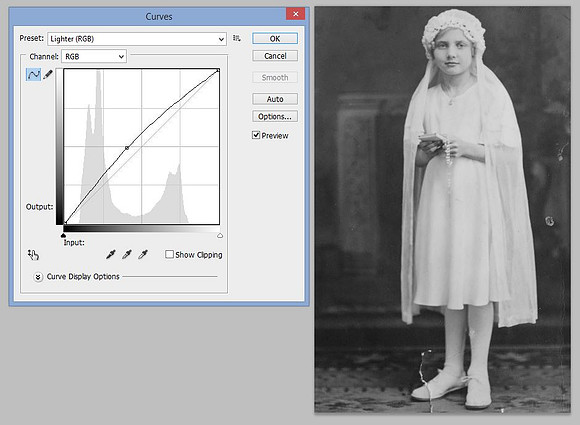
Adjust the curves
Changing the curves can enhance and sharpen the image. This adjustment can often add a lot of clarity to the image. To adjust the curves select the Image menu, Adjustments, Curves…Example of Lighter (RGB) curves.
Copyright © 2022 by MB Boutiques, all rights reserved.